Configuration
OMOP_Alchemy reads all database connection and schema settings from oa_configurator
Minimal config
Run the interactive configure command to set up the CDM database connection and write ~/.config/omop/config.toml:
omop-config configure omop_alchemy
This prompts for connection details (host, dialect, credentials) and schema name, then saves them under the canonical database name cdm_db that all OMOP stack packages recognise.
The default location for this file is ~/.config/omop/config.toml
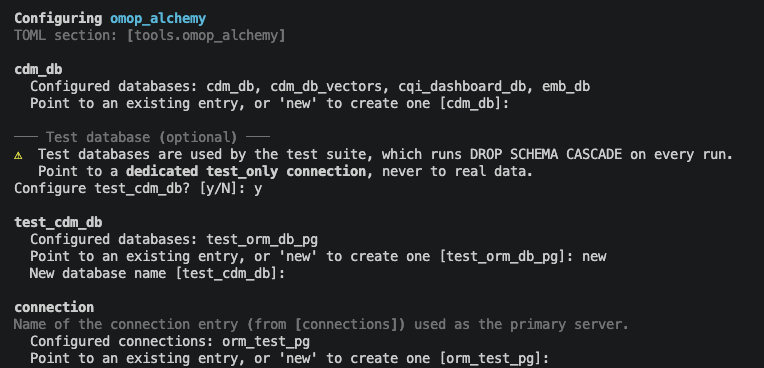
The resulting TOML will look like:
[connections.cdm]
dialect       = "postgresql+psycopg"
host          = "localhost"
port          = 5432
user          = "omop"
password      = "changeme"
database_name = "omop_cdm"
test_only     = false

[databases.cdm_db]
kind        = "cdm"
connection  = "cdm"
schema_name = "omop"

[tools.omop_alchemy]
cdm_db = "cdm_db"
You can also write or edit this file manually. It follows the oa-configurator pattern of [physical]->[logical] resource definition, where one connection may serve multiple databases, and each application may define its own database resource, or choose to cross reference an existing one that will be resolved upon connection in the consuming application.
Vocabulary loading
If you plan to load OMOP vocabulary from Athena CSV files, add the path to [tools.omop_alchemy]:
[tools.omop_alchemy]
cdm_db             = "cdm_db"
athena_source_path = "/path/to/athena/csvs"
This may be edited directly, set interactively in the omop-config configure omop_alchemy process, or set directly using the CLI.
Verify
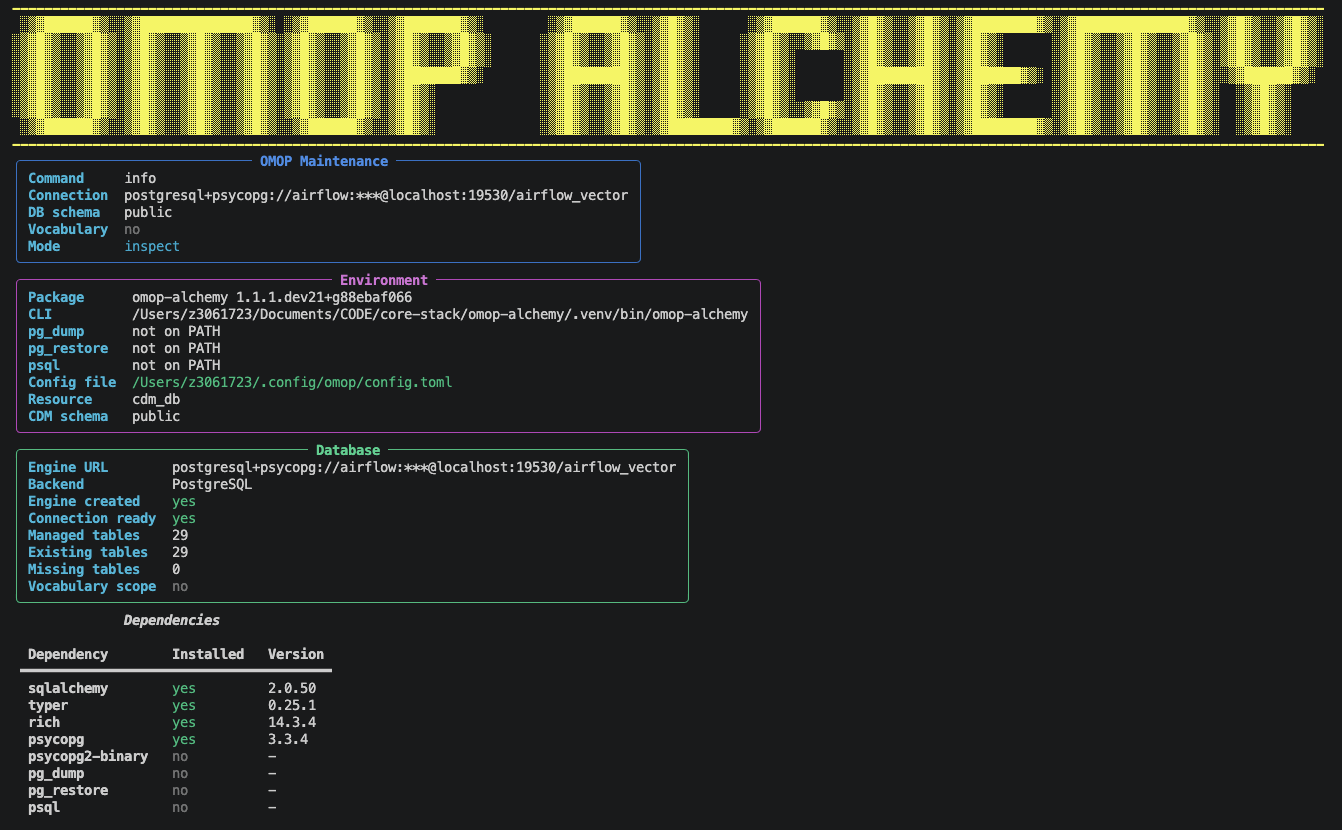
omop-alchemy info
This prints the resolved config file path, connection details, and schema. A successful run confirms that OMOP_Alchemy can reach your database.
Multiple instances
Note that postgres integration tests in this library and others following the oa-configurator utility may perform destructive actions and therefore require their own test-enabled configuration. This is typically only required for development use-cases. Test database configuration is separate to the inclusion of multiple CDM database connections (e.g. for staging/production). To configure a second CDM database, create it under its own name and point the field's own flag at it:
omop-config databases add cdm_db_prod --kind cdm --connection cdm_prod
omop-config configure omop_alchemy --cdm-db cdm_db_prod
This creates cdm_db_prod without touching the existing cdm_db. There is no "default" toggle to flip afterward; each deployment's configure call names the entry it wants directly.
See the oa-configurator integration guide for the full multi-environment guide.
Further reading
- oa_configurator quickstart: full config reference, CLI walkthrough
- oa_configurator integration guide: multi-package setups